How to Add CAA Records in DNS
Step 1: Log in to your DNS Provider
-
Go to your domain’s DNS management panel (example: Cloudflare, GoDaddy, Namecheap, AWS Route53, etc.).
🔹 Step 2: Add a New DNS Record
-
Click “Add Record” or “Create Record”.
-
Select Record Type → choose CAA.
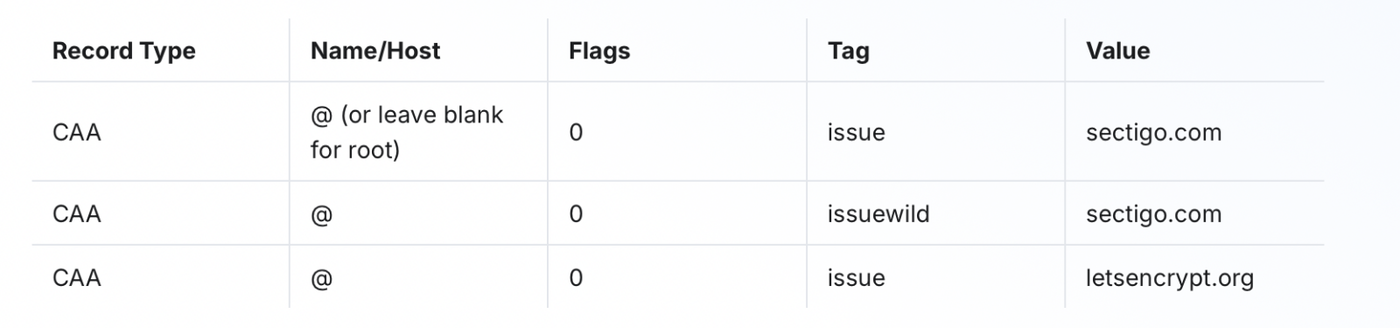
🔹 Step 3: Fill the Record Details
For each entry, add them one by one: